Introduction
Long queues, order mistakes, and rising labor costs are common challenges for restaurants across the UAE. A restaurant kiosk offers a practical way to improve the ordering experience by reducing wait times, increasing order accuracy, and encouraging customers to add complementary items to their meals.
However, a self-service kiosk isn’t a one-size-fits-all solution. The right results depend on several factors, including your menu, restaurant layout, POS system, staff workflow, and customer preferences. Choosing the right kiosk requires careful planning rather than simply purchasing new hardware.
This guide explains everything UAE restaurant owners need to know — from different kiosk types and their benefits to pricing, POS integration, accessibility, security, and deployment best practices — helping you make an informed investment.
What Is a Restaurant Kiosk, and How Does It Work?
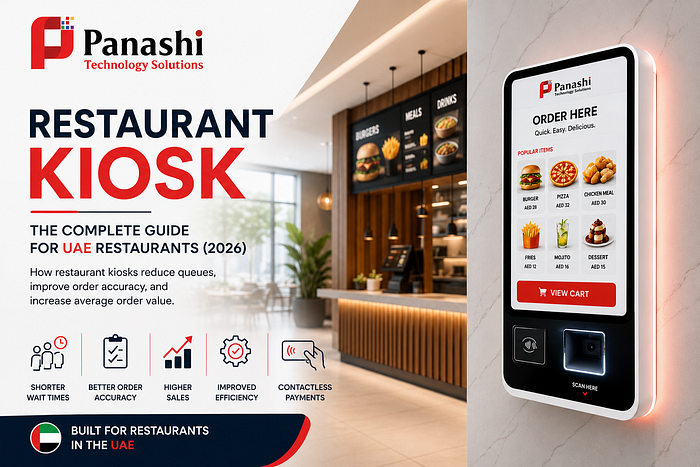
A restaurant kiosk is a self-service touchscreen that allows customers to browse the menu, customize their meals, place orders, and pay without waiting at the counter.
A typical customer journey looks like this:
- Browse the digital menu
- Select meals and customize ingredients
- Add drinks, sides, or desserts
- Apply loyalty rewards or promo codes
- Pay using card, mobile wallet, or contactless payment
- Receive a printed or digital receipt
- Wait for the order number to appear on the pickup screen
Modern restaurant kiosks often include:
- High-quality menu images
- Multiple language options
- Upselling suggestions
- Loyalty integration
- Digital receipts
- QR code ordering
- Contactless payments
It’s also important to understand the different kiosk types:
- Self-order kiosk — Customers order and pay independently.
- Payment kiosk — Used mainly to complete payments.
- Check-in kiosk — Registers customer arrivals or reservations.
- Pickup kiosk — Allows customers to collect pre-ordered meals.
The Main Types of Restaurant Kiosks to Consider
Different restaurant formats require different kiosk solutions.
Freestanding kiosks are ideal for quick-service restaurants with high customer traffic.
Countertop kiosks fit cafés, bakeries, and smaller restaurants where space is limited.
Wall-mounted kiosks maximize floor space and work well in shopping malls and food courts.
Drive-thru kiosks streamline outdoor ordering while reducing communication errors.
Tablet or mobile kiosks provide flexible ordering for pop-up restaurants, cafeterias, and temporary locations.
How a Kiosk Fits Into Your Existing Order Flow
A restaurant kiosk should integrate seamlessly with your existing operations.
Once a customer places an order, the information is automatically sent to the Point of Sale (POS) system, Kitchen Display System (KDS), kitchen printer, payment gateway, and order status display.
The objective is to eliminate manual order entry, reduce duplicate orders, and allow staff to focus on food preparation and customer service.
Restaurant Kiosk Benefits and Drawbacks to Weigh Before Buying
Restaurant kiosks provide several operational benefits but also require realistic expectations.
Benefits include:
- Shorter waiting times
- Better order accuracy
- Higher average order value
- Flexible staff allocation
- Faster menu updates
- Improved customer satisfaction
- Valuable sales analytics
Potential challenges include:
- Initial hardware investment
- Software subscription costs
- Payment processing fees
- Ongoing maintenance
- Staff training
- Accessibility requirements
- Occasional customer assistance
When a Self-Service Kiosk Can Improve the Guest Experience
Many customers appreciate ordering at their own pace.
They can carefully review menu items, customize ingredients, choose another language, and avoid crowded counters.
Helpful prompts such as:
- Add fries?
- Upgrade to a combo?
- Include dessert?
- Redeem loyalty points?
can improve convenience without feeling overly aggressive.
Situations Where a Kiosk May Not Be the Best Fit
Restaurant kiosks may offer limited value for:
- Small restaurants with low daily traffic
- Fine dining establishments
- Restaurants with constantly changing menus
- Businesses with unreliable internet connectivity
- Customers who prefer face-to-face ordering
Before investing, evaluate:
- Peak-hour queues
- Daily order volume
- Labor costs
- Customer feedback
- Order accuracy
How Much Does a Restaurant Kiosk Cost?
The total investment extends beyond purchasing the kiosk itself.
Your total cost of ownership may include:
- Kiosk hardware
- Software licensing
- POS integration
- Payment gateway setup
- Installation
- Network upgrades
- Technical support
- Cleaning and maintenance
- Accessibility improvements
- Replacement parts
Pricing varies significantly depending on features, integrations, and deployment size. Always request a detailed quotation that includes monthly software fees, warranty coverage, transaction costs, and service agreements.
Buying Versus Leasing Kiosk Hardware
Buying offers complete ownership and lower long-term costs but requires higher upfront investment.
Leasing or subscription models reduce initial expenses while providing easier upgrades and maintenance. However, longer contracts may increase the total cost over time.
Always review replacement policies before signing an agreement.
How to Estimate Your Return on Investment
Track performance before and after installation by measuring:
- Orders per hour
- Average order value
- Counter labor hours
- Order errors
- Customer wait times
- Payment processing costs
- Kiosk usage rates
Comparing additional profit and labor savings against hardware and software costs provides a realistic break-even timeline.

How to Choose the Best Restaurant Kiosk for Your Business
The best restaurant kiosk isn’t necessarily the one with the most features — it’s the one that fits your business.
- Reliability
- Ease of use
- POS compatibility
- Payment flexibility
- Reporting tools
- Technical support
- Security
- Accessibility
- Future scalability
Whenever possible, test the complete ordering experience with both employees and real customers.
Key Hardware and Software Features to Check
Look for:
- Bright HD touchscreen
- Durable construction
- Spill-resistant design
- Receipt printer
- QR and barcode scanner
- Card and mobile wallet support
- Remote device management
- Offline operation
- Menu management
- Sales analytics
Fast performance and a simple checkout process are more valuable than unnecessary features.
POS Integration, Payments, and Data Security
Reliable POS integration minimizes manual work and reporting errors.
Restaurants should choose kiosks that support PCI Security Standards to ensure secure payment processing and customer data protection.
Confirm compatibility with:
- POS software
- Kitchen Display System
- Loyalty programs
- Gift cards
- Coupons
- Tax settings
- Refund workflows
- Payment processors
Choose providers that support encrypted payments, PCI compliance, regular software updates, and secure customer data protection.
Accessibility and Inclusive Kiosk Design
Restaurant kiosks should be usable by everyone.
Important accessibility features include:
- Wheelchair-accessible height
- Large readable text
- High color contrast
- Multiple language support
- Visual instructions
- Audio guidance where available
- Easy access to staff assistance
Restaurants should always maintain a staffed ordering option for guests who need additional support.
How to Launch a Restaurant Kiosk Without Disrupting Service
Successful implementation starts with careful planning.
Begin with one or two kiosks, train staff thoroughly, and place clear signage throughout the restaurant.
During busy periods, assign a team member to help first-time users while keeping traditional ordering available.
Review performance weekly by monitoring:
- Wait times
- Average order value
- Order accuracy
- Customer feedback
- Kiosk adoption rate
Use this information to improve menu layouts and ordering flows.
Common Restaurant Kiosk Mistakes to Avoid
Avoid these common issues:
- Poor menu photos
- Too many ordering steps
- Hidden staff assistance
- Untested modifiers
- Ignoring accessibility
- Crowded kiosk placement
- Infrequent cleaning
- Poor kitchen integration
Small usability problems can significantly impact customer satisfaction.
Questions to Ask a Kiosk Provider Before Signing
Before choosing a supplier, ask:
- What is the complete project cost?
- Are installation and training included?
- What are your support hours?
- What warranty is provided?
- How are software updates managed?
- Does the kiosk integrate with my POS?
- Who owns the customer data?
- What happens if I change POS providers?
- What are the payment processing fees?
- Can you provide restaurant references in the UAE?
Conclusion
A restaurant kiosk can help reduce queues, improve order accuracy, increase average order value, and create a smoother customer experience — but only when it’s implemented strategically.
Start with a clear objective, whether it’s reducing peak-time waiting, improving operational efficiency, or giving customers greater control over ordering. Compare the complete cost of ownership, verify POS compatibility, prioritize accessibility, train your team, and continuously monitor performance after launch.
When planned properly, a restaurant kiosk becomes more than just another piece of technology — it becomes a valuable tool that supports both your customers and your staff while helping your restaurant grow in the competitive UAE market.
Frequently Asked Questions (FAQs)
1. What is a restaurant kiosk?
A restaurant kiosk is a self-service touchscreen that allows customers to browse menus, customize meals, place orders, and make payments without waiting at the counter.
2. Are restaurant kiosks suitable for small restaurants?
Yes, but the investment should match your order volume and customer traffic. Smaller restaurants should evaluate their expected return before purchasing.
3. Do restaurant kiosks integrate with POS systems?
Most modern kiosks integrate with popular POS systems, kitchen display systems, payment gateways, and loyalty platforms. Always confirm compatibility before buying.
4. Can restaurant kiosks accept contactless payments?
Yes. Most restaurant kiosks support contactless cards, Apple Pay, Google Pay, Samsung Pay, and QR-based payment methods.
5. How much does a restaurant kiosk cost in the UAE?
Pricing varies depending on hardware, software, integrations, customization, and support. Request a detailed quotation that includes all setup and ongoing costs.
6. Can restaurant kiosks increase sales?
Many restaurants report higher average order values because kiosks can present relevant meal upgrades, sides, desserts, and beverages during the ordering process.
7. Are restaurant kiosks secure?
Yes, when they use PCI-compliant payment systems, encrypted transactions, regular software updates, and proper access controls.
8. What industries commonly use restaurant kiosks?
Quick-service restaurants, cafés, food courts, cafeterias, hotels, stadiums, airports, universities, and fast-casual dining businesses all benefit from restaurant kiosks.